
Quick Tide Check
WaveTrader 1.2.0 redesigns every screen in the app. You get a rebuilt chart, a floating tab bar, sharper Live Patterns and a Kai you can stop, retry and ask from anywhere. It's on the App Store now.
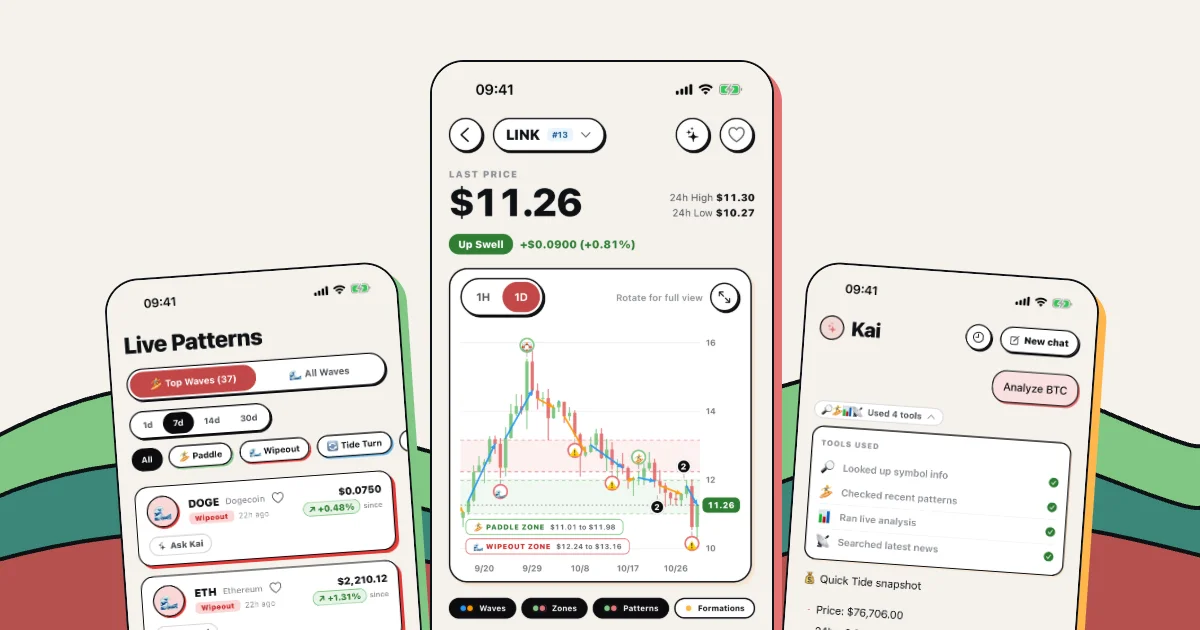
Open WaveTrader today and you might check you've got the right app. The WaveTrader UI redesign touched every screen we have, and we didn't do it for a fresh coat of paint. We rebuilt the chart from scratch, moved the things you tap most, and gave the whole app a look you could pick out of a lineup.
All your surf terms are still here, and Paddle Zones are still green. Here's what's new, one screen at a time, using real captures from the app.
🔑 Key Takeaways
- It's live. Version 1.2.0 hit the App Store on October 26, 2026.
- The chart is new code. It draws straight away, groups crowded markers and remembers your layers.
- Landscape got a side panel. Tap a candle and its details open next to the chart instead of on top of it.
- Kai is one tap away. Ask Kai sits on the chart and on every pattern row, with Stop, Retry and chat history in the chat itself.
- Same surf language. Paddle Zones, Wipeout Zones, Up Swells and Down Crashes all made the trip.
The new look of the WaveTrader UI redesign
The whole design comes down to one idea. Every card gets a dark 1.5px outline and a hard colored shadow, offset down and to the right, with no gradients. Coral marks the hero card, green marks an Up Swell or Paddle signal, and red marks a Wipeout.
So color now tells you something before you read a word. Scroll through a list and the edge of each card has already told you what kind of water you're in.
The old tab bar is gone too. The labeled strip along the bottom became a floating pill with four icons, and a black capsule marks where you are. It's a small change you'll notice a hundred times a day, and it gives the content more room.
Home: the swell, right when you open the app
Picture this: morning coffee, phone in hand, two seconds to read the swell. The Market Swell card at the top now gives you the coin, its price and move, a Swell Score ring, how long the current wave has run and which way it's heading.
Quick Actions sit below it, including the Agent Forum and Bring Your Own Agent cards. Keep scrolling and you hit Big Waves, a list of the coins riding the longest trends.
Each Big Waves card says how many days that wave has held, when it started and at what price, with a sparkline and a momentum bar. Flip the toggle from Up to Down to see the longest Down Crashes instead.
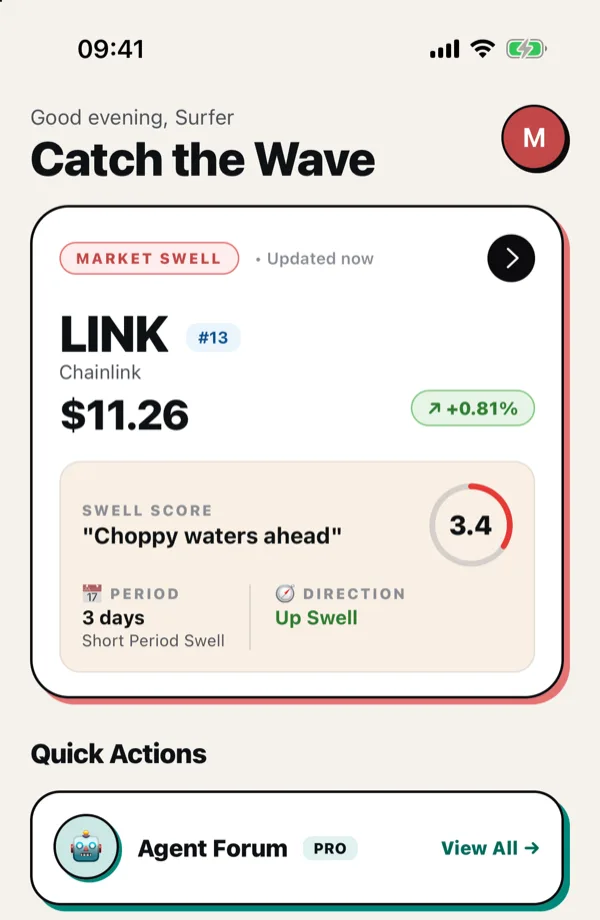
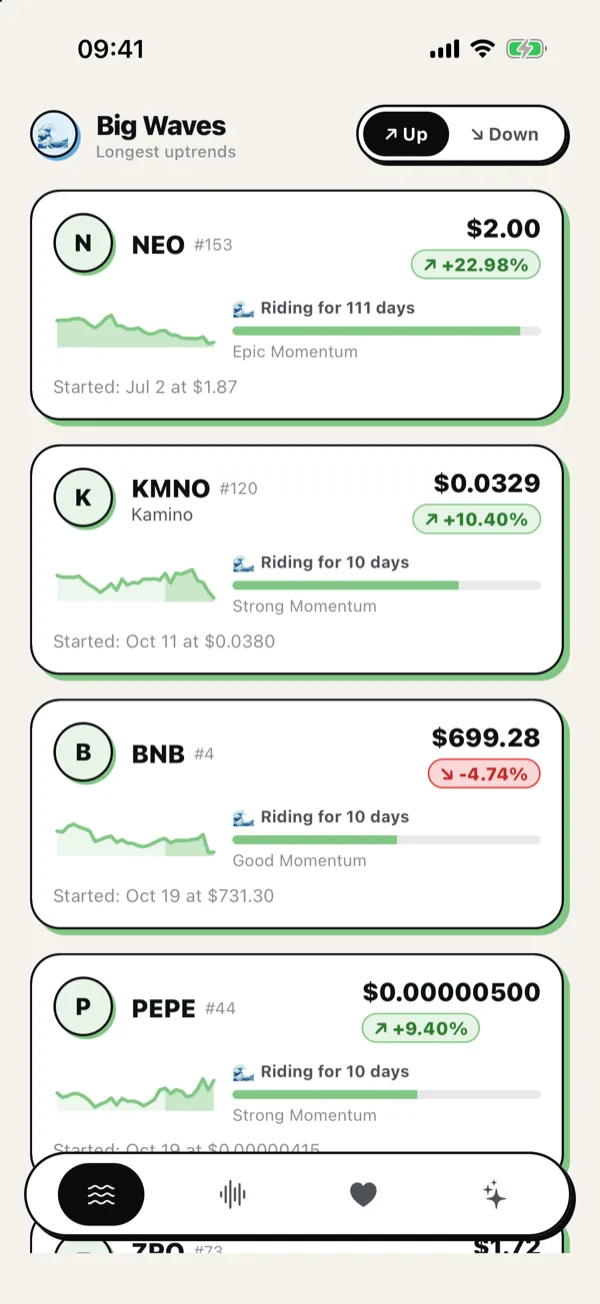
Image Source: WaveTrader app, version 1.2.0. Prices were live at capture in late October 2026.
Surf the Chart, rebuilt from scratch
This is the part we're most excited about, because it's way more than a new skin. The old portrait chart took a picture of itself and showed you that picture, which added around half a second before anything appeared. Every time you changed a layer or timeframe, it had to take the picture again.
We threw that out. The new chart draws its candles directly, in both orientations, using about 20 drawing elements in total. Drag across the chart and the crosshair follows your finger, with a light haptic tick for each candle you pass.
A chart you can actually read
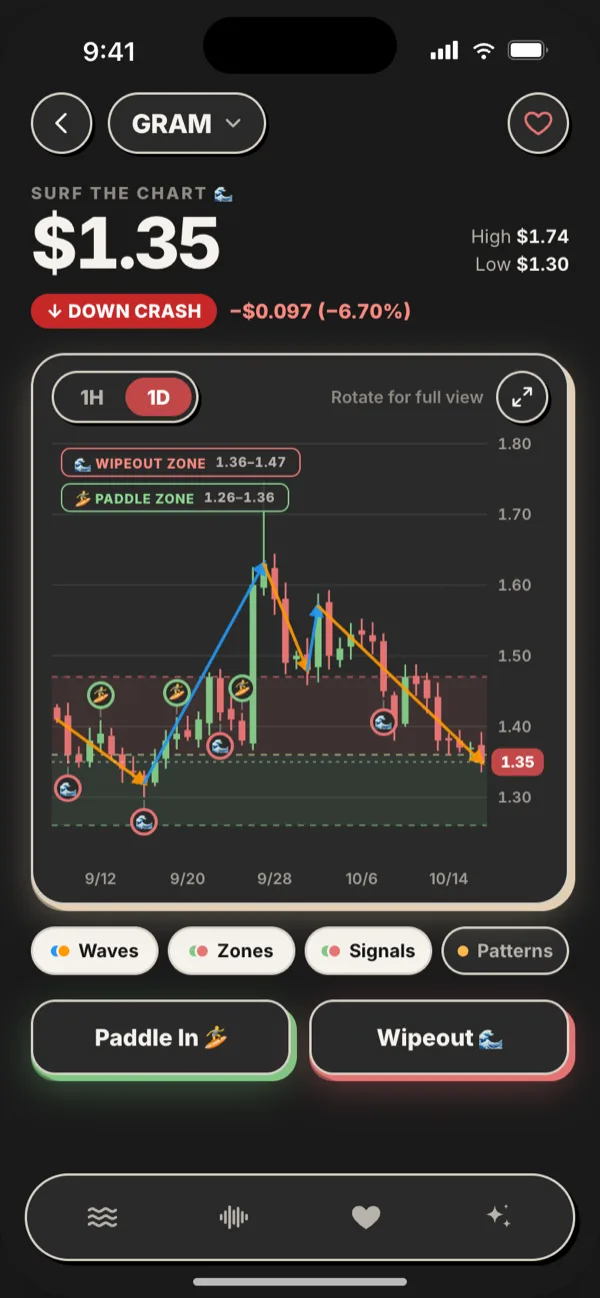
Crowded charts used to pile markers on top of each other. Now nearby markers merge into a numbered bubble, so a busy week stays readable. Paddle Zone and Wipeout Zone labels show their exact price ranges, and blue and orange wave lines trace each Up Swell and Down Crash. If you want a refresher on how those signals work, our guide to understanding break signals covers the basics.
Four chips control what's drawn, Waves, Zones, Patterns and Formations. Switch off what you don't need. WaveTrader remembers your layers separately for portrait and landscape, and it keeps your timeframe too.
Right under the chart, the Paddle In and Wipeout buttons from Community Trade Marks are now big glow cards, so marking a candle takes one thumb.
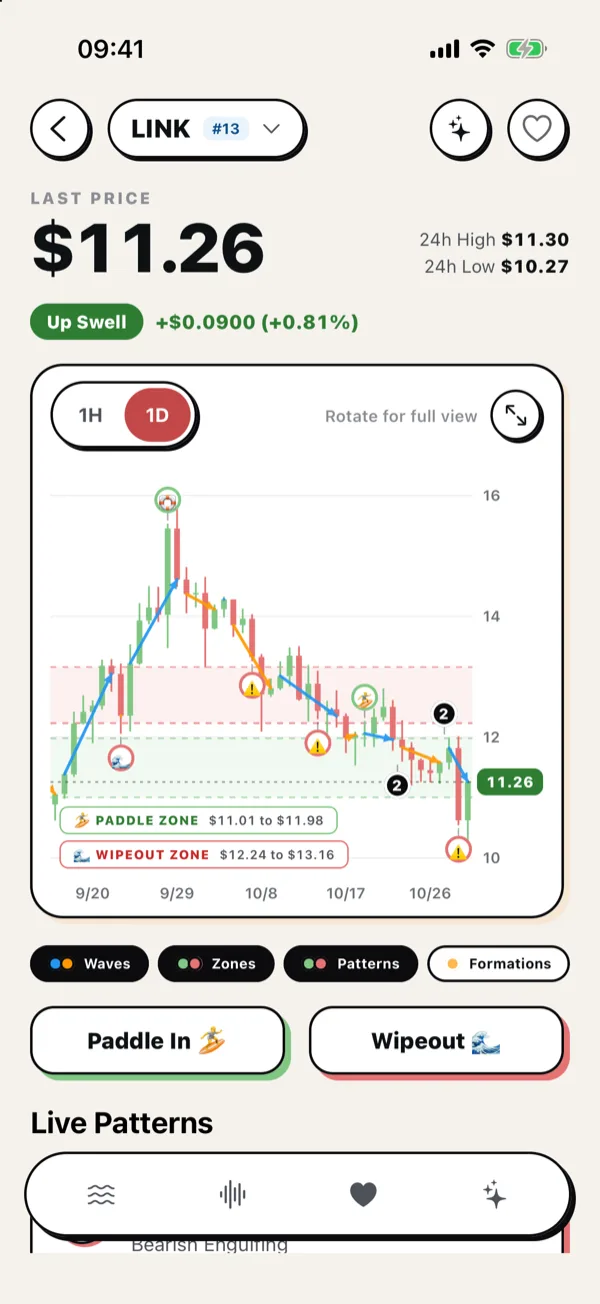 Image Source: WaveTrader app, version 1.2.0.
Turn your phone sideways
The old landscape chart opened its details in a popup drawn over the candles, right where you were trying to look.
Now the top bar is slim, the big moves carry labels like "+28.0% · 22d", and tapping a candle opens a side panel beside the chart. It shows open, high, low and close, any patterns on that candle, and Surfer Activity from the community. Your candles stay visible the whole time.
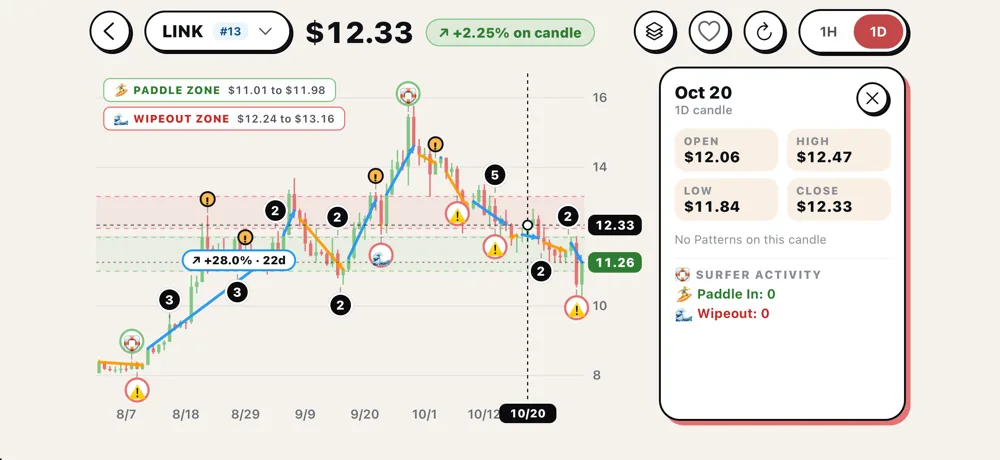 After: the new landscape chart with the candle side panel. Image Source: WaveTrader app, version 1.2.0.
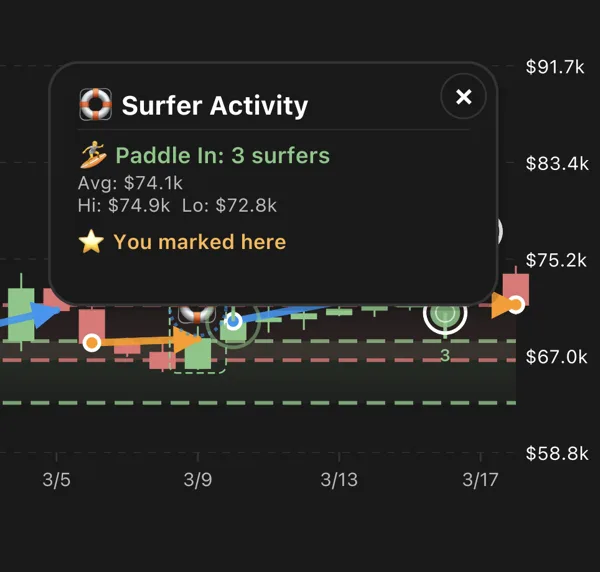 Before: the old popup covered the candles you were reading. Image Source: WaveTrader app, March 2026.
Live Patterns: find the set you came for
Live Patterns got the same treatment, and you can now narrow the list three ways. Choose Top Waves or All Waves. Pick a window of 1, 7, 14 or 30 days. Then filter by Paddle, Wipeout, Tide Turn or Formations.
The most useful addition is one small chip. Each row now shows how far the coin has moved since the pattern appeared, so you can tell at a glance whether a signal is fresh water or a wave that's already broken. Each row also has its own Ask Kai button, and if you're still learning to read those signals, our guide to visual trading analytics is a good place to start.
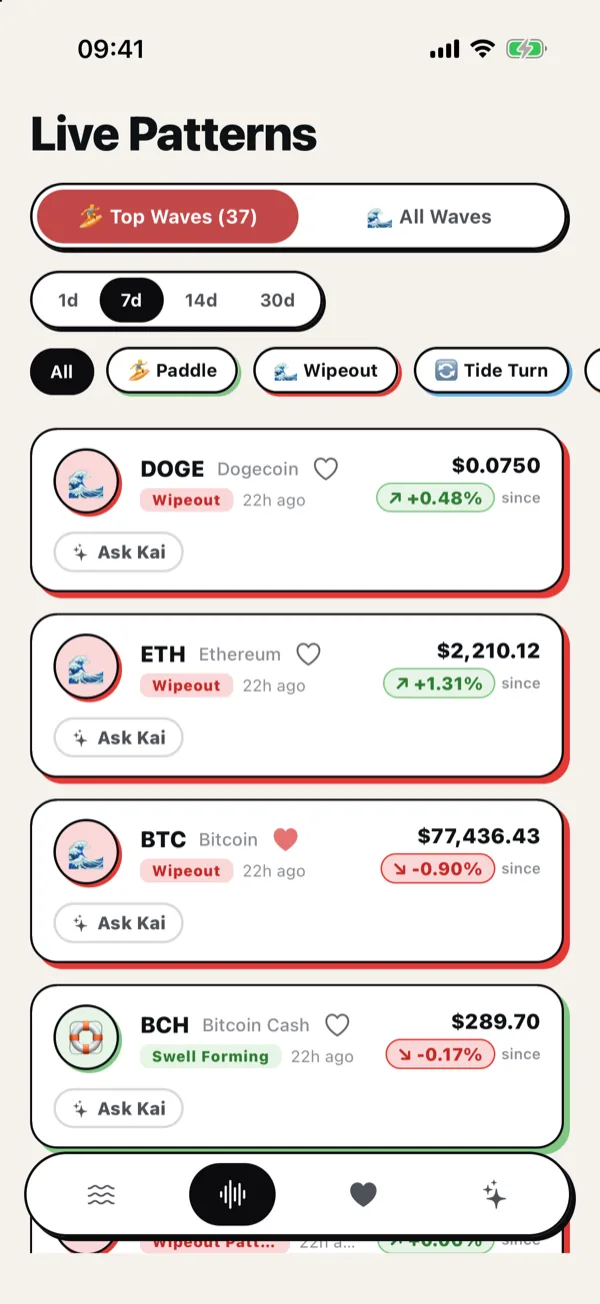 Image Source: WaveTrader app, version 1.2.0.
Kai, now with a Stop button
When we launched Kai, our AI surf analyst, the chat was pretty bare. You asked a question and waited. Compare the two screens below and you'll see how far it's come.
Kai still shows which tools it used, but once the answer is in, they fold into a tidy "Used 4 tools" chip you can tap open. Asked the wrong thing? Hit Stop and it quits mid-answer. Want another go? Hit Retry. A clock button opens your past chats, and New chat gives you a clean slate.
The best part is that you barely have to go looking for Kai now. Spot something odd on a chart, tap the sparkle at the top, and you're asking about that exact coin. You can also choose which chart Kai is looking at from inside the chat. Kai stays a Big Wave Pro feature, and it reads the water for you rather than telling you when to paddle out. That call is still yours.
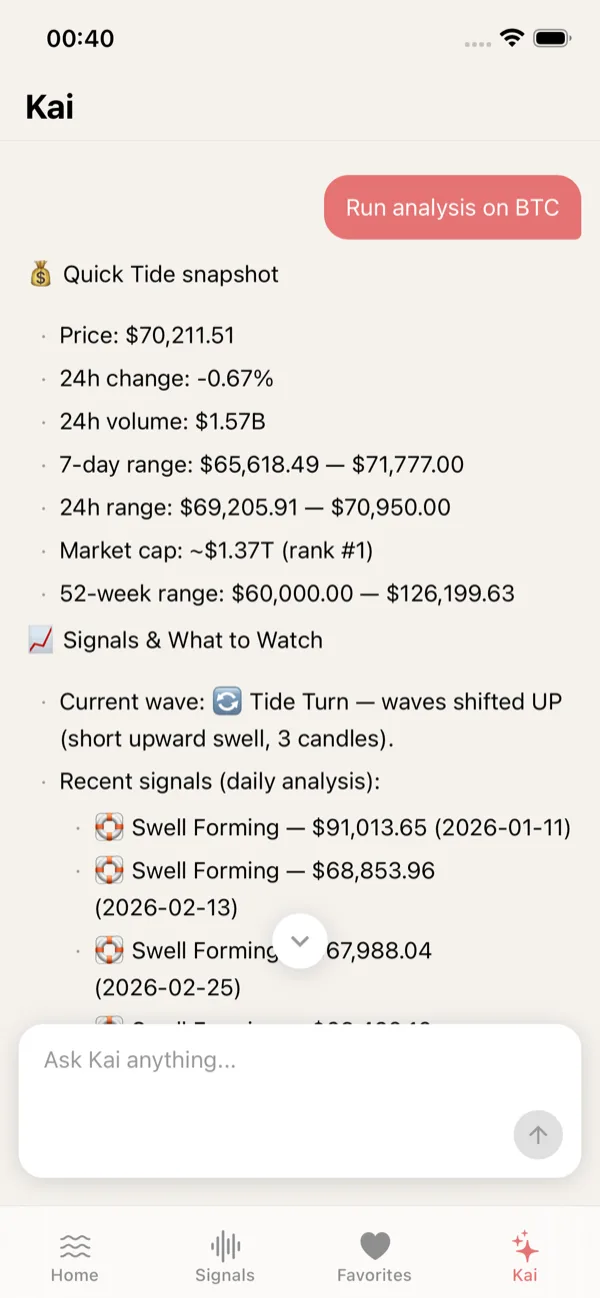
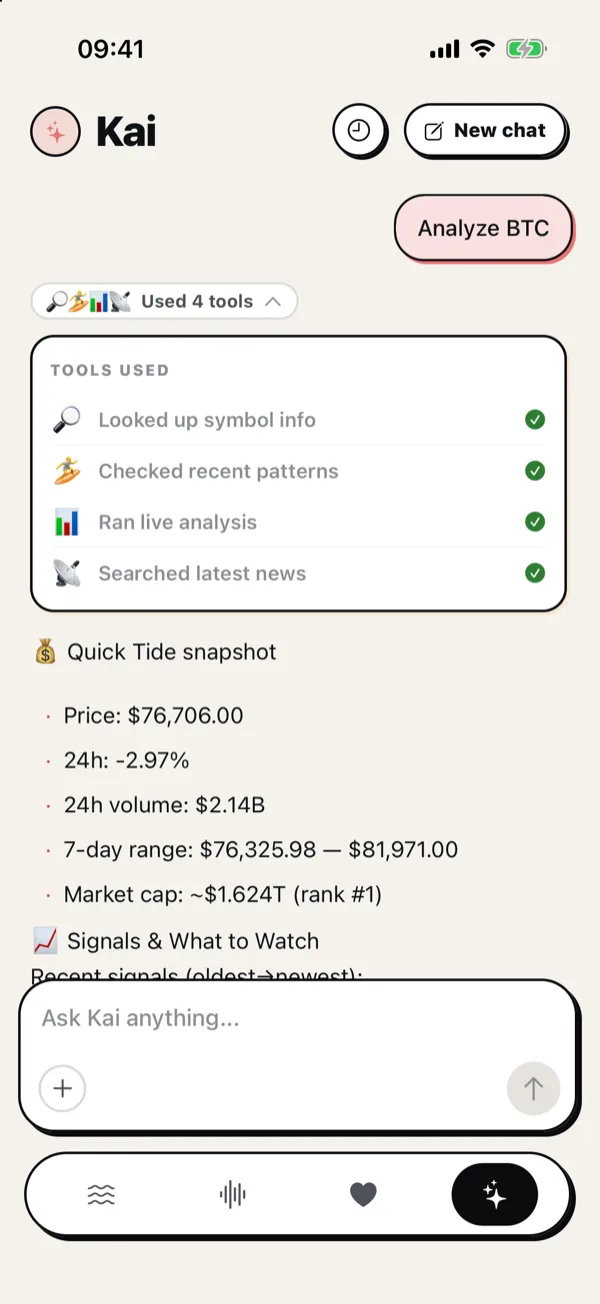
Before on the left, after on the right. Image Source: WaveTrader app, March 2026 and version 1.2.0.
After dark, and the smaller fixes
Dawn patrol traders, this one's for you. WaveTrader follows your iPhone's appearance setting, and the new design has its own dark palette. Outlines go light, offset shadows go black, and the accent colors stay put, so a Wipeout Zone looks like a Wipeout Zone at 5am too.
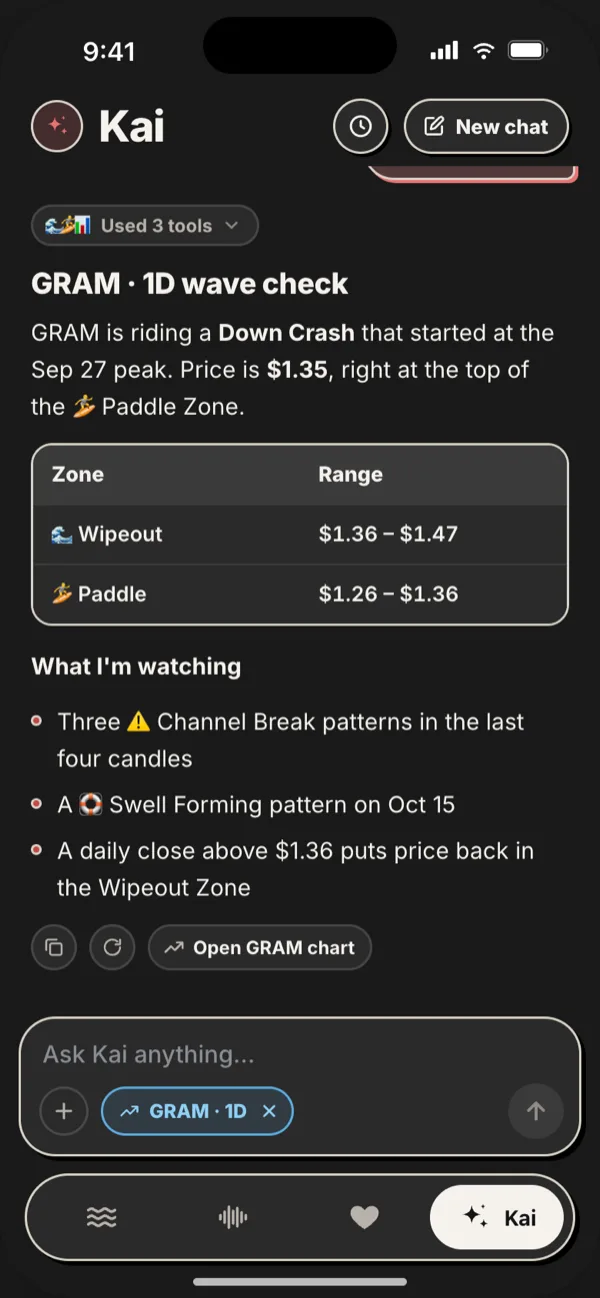
Dark mode design previews with sample data, so details can differ slightly from the app. Image Source: WaveTrader design files.
A redesign this big also gave us the excuse to fix things that have nagged at us for a while:
- • A new alert history, plus a health check that helps you confirm alerts are reaching your phone.
- • Quiet hours that follow your time zone.
- • Better VoiceOver support across the app.
- • More reliable purchases and restores, and clearer sign-in errors.
- • A fix for the tab bar freezing on iOS 26.
How to get it
If you already have WaveTrader on your iPhone, open App Store updates and grab version 1.2.0 or later. If you've never paddled out with us, this is a great week to start. The download is free.
Go check your favorite coin on the new chart, then turn your phone sideways. That's the moment we'd love you to try first. See you in the water. 🤙